




- Published on: 2026-11-17 11:20:00
How to Fund Your Forex Account: A Step-by-Step Deposit Guide
You've opened your account, and now you're ready for the final step before entering the markets: funding it. Knowing how to add money to your trading account is a straightforward process. At TradingPRO, we've designed our system to be fast, secure, and easy to navigate.
This guide will show you exactly how to fund your forex account in just a few clicks.
Our Forex Deposit Methods
First, it's important to know that deposits must come from a source that is in your own name (e.g., a credit card or bank account under your name) to comply with security policies. We offer a variety of convenient forex deposit methods to choose from:
- Bank Transfer
- Credit/Debit Card
- E-Wallets (Virtual Accounts)
- Cryptocurrency (including USDT deposit)
Most of our options are instant deposit forex methods, meaning funds are typically credited to your account immediately after a successful transaction.
How to Make a Deposit: The Step-by-Step Process
Follow these simple visual steps to add funds to your account.
Step 1: Navigate to the Deposit Menu
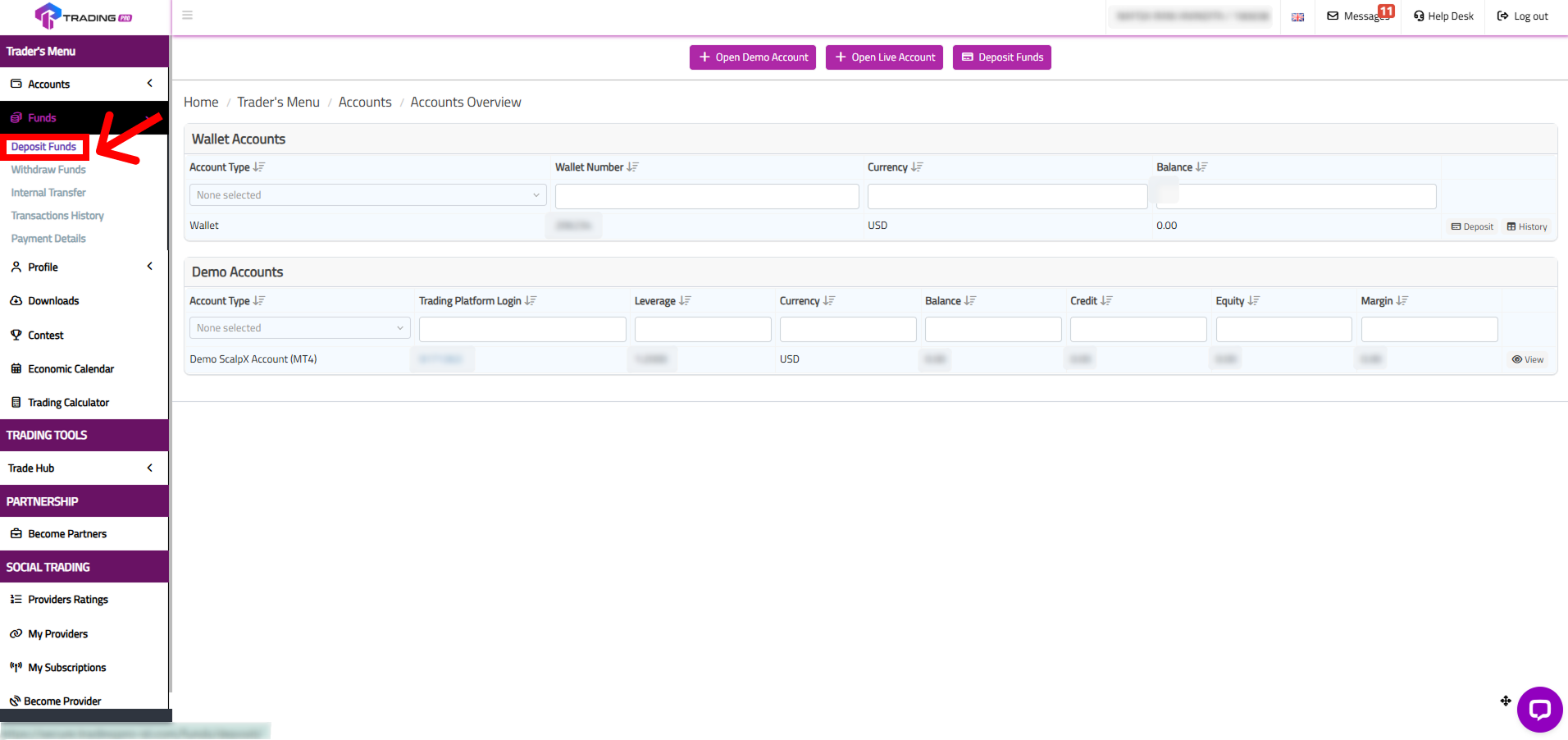
First, log in to your TradingPRO Client Portal. From the main dashboard, navigate to the 'Funds' menu and select 'Deposit' from the dropdown options.
Step 2: Choose Your Deposit Method
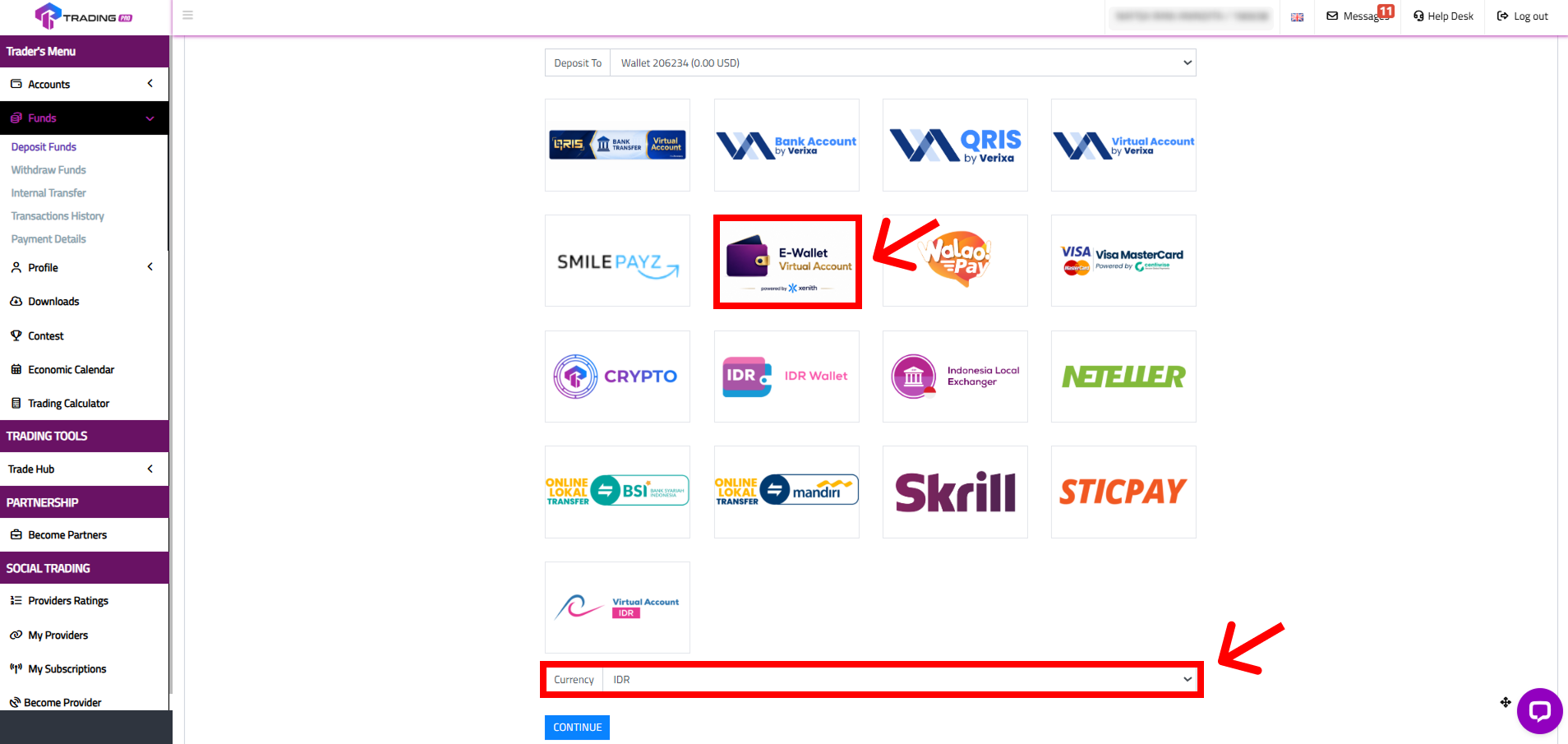
You will now see a list of all available deposit methods. For this example, we will use the popular "E-Wallet Virtual Account" option. Click on it to proceed.
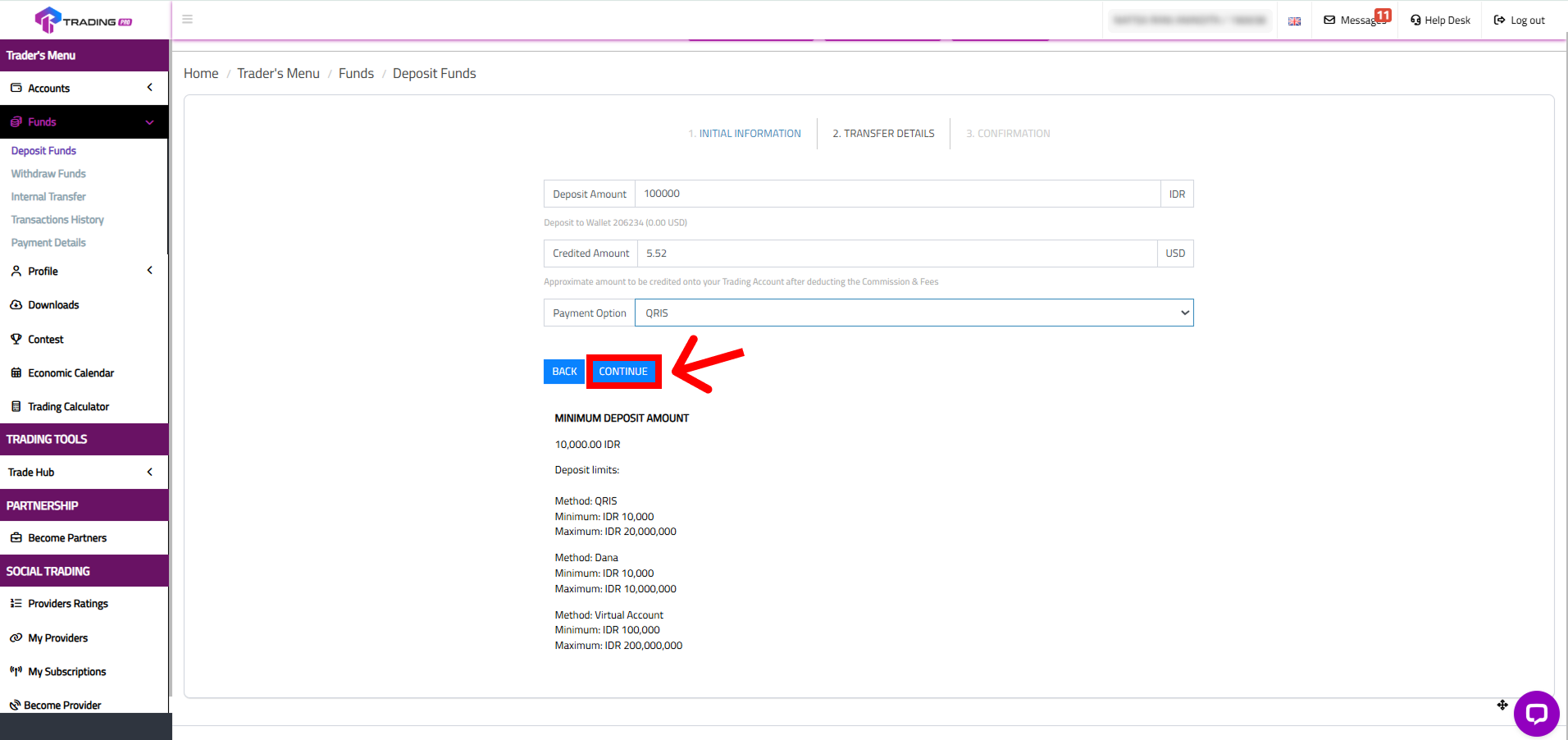
Step 3: Select Currency and Amount
Next, choose your currency and enter the amount you wish to deposit. The system will show you the approximate amount to be credited to your account. Remember, the forex minimum deposit for our Rookie Account is just $1, making it easy for anyone to start.
Step 4: Confirm Your Payment Method and Pay
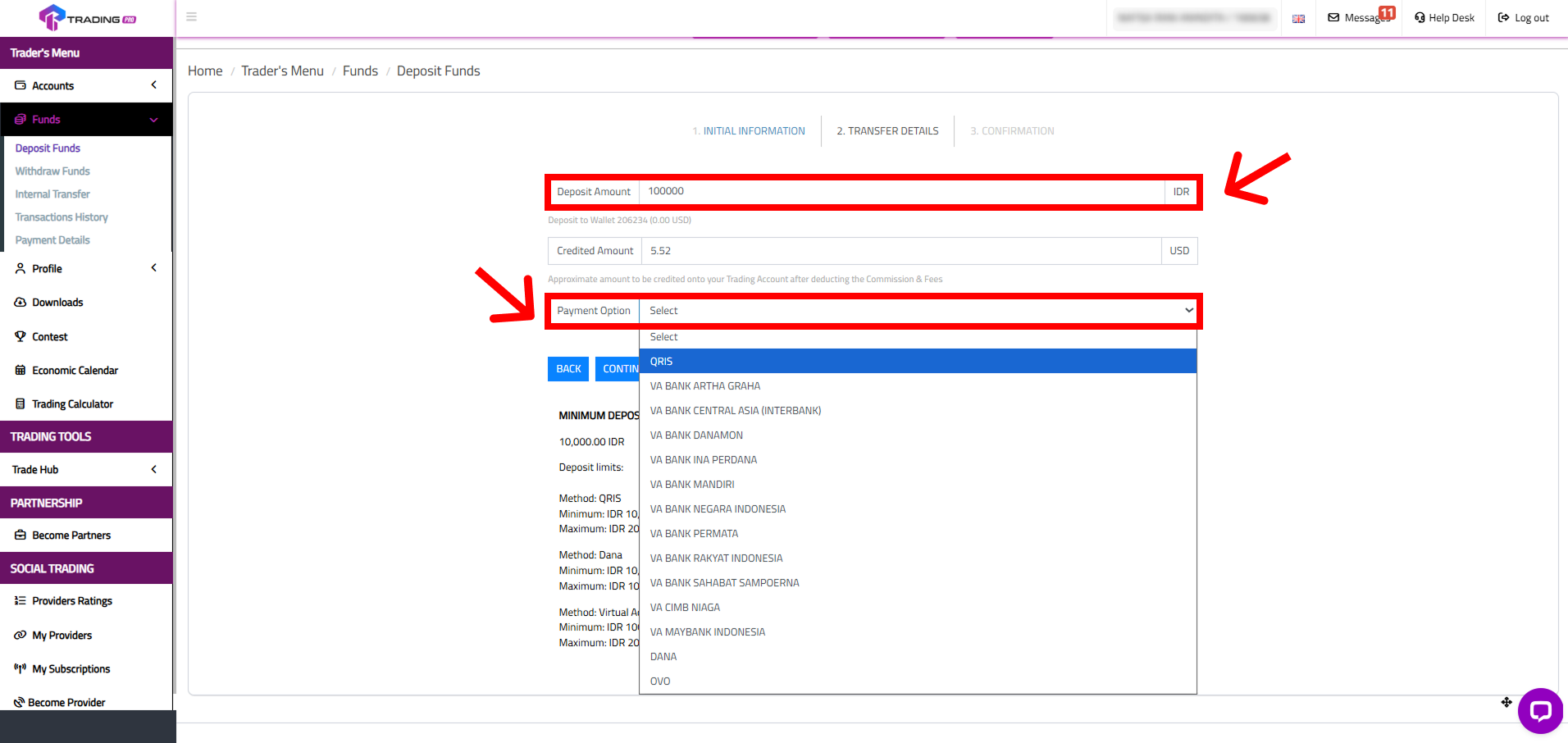
Select your specific payment provider, review the transaction summary on the confirmation page, and then click 'Pay Now'. You will be redirected to the payment gateway to complete the transaction securely.
That's it! Once payment is successful, the funds will be available in your trading account.
Troubleshooting & FAQ
Having trouble? Here are quick solutions to the most common deposit questions.
How long does a deposit take?
Deposits are processed 24/7, including on weekends and holidays. For most methods, the credit to your account is instant upon successful payment. If you don't see the funds immediately, it may be due to a slight delay from the payment provider itself.
Why was my credit card deposit declined?
This can happen for several reasons. Check for incorrect card details, insufficient funds, or daily transaction limits. Sometimes, your bank may block an international transaction for security. If this happens, a quick call to your card issuer to authorize the payment usually solves the problem.
What should I do if my deposit hasn't been credited?
If your deposit takes longer than the estimated processing time, first check your "Transaction History" in the Client Portal to see its status. If it's still pending, please contact our Support Team with your deposit confirmation (like a screenshot of the transaction), the date, amount, and payment method, and we will investigate it for you immediately.
Claim Your First Deposit Bonus!
Don't forget, if this is your first deposit, you may be eligible for a forex deposit bonus. Many of our promotions, like the first deposit bonus forex, give you extra trading credit to boost your initial capital. Check our promotions page to see what offers are currently available for you.
Click Here to Make Your First Deposit and Start Trading Now!
Connect with the TradingPRO Community
Join Our Official Social Channels Here!


